What's included
Everything your rider needs
Built by tour managers who got tired of re-formatting Word documents at 2am. No more rider-by-email-attachment chaos.
01 · Interactive stage plot maker
Drag-and-drop icons for every common piece of backline. Add labels, shapes for anything we missed, resize and rotate freely.
02 · Channel list with notes
Click-to-edit rows for source, mic/DI, stand, 48V and per-channel notes — plus a general notes block for "all vocals on wireless".
03 · Backline requirements
Spec drums, amps, keys and instruments by category, with quantity and who provides each item — no more "did you bring the spare bass?"
04 · Hospitality & accommodation
Catering, dietary notes, buyout policy and hotel requirements — everything the promoter needs to advance, with no ambiguity.
05 · Production-ready PDF
Logo on the cover, stage plot on a dedicated landscape page, "Page X of Y" footer — the kind of PDF a head of production wants to receive.
06 · Send via Advance
Link the rider to a tour and send it with one click in the Advance module. The PDF generates automatically — no exporting, no attachments.
See it in action
Build the stage exactly how you want it
Drag amps, mics, monitors and risers onto a grid. Add labels per item, drop in a square or circle when there’s no icon for it, switch to mono for printers that hate colour. Multi-select to move whole sections together.
Click any cell, edit, move on
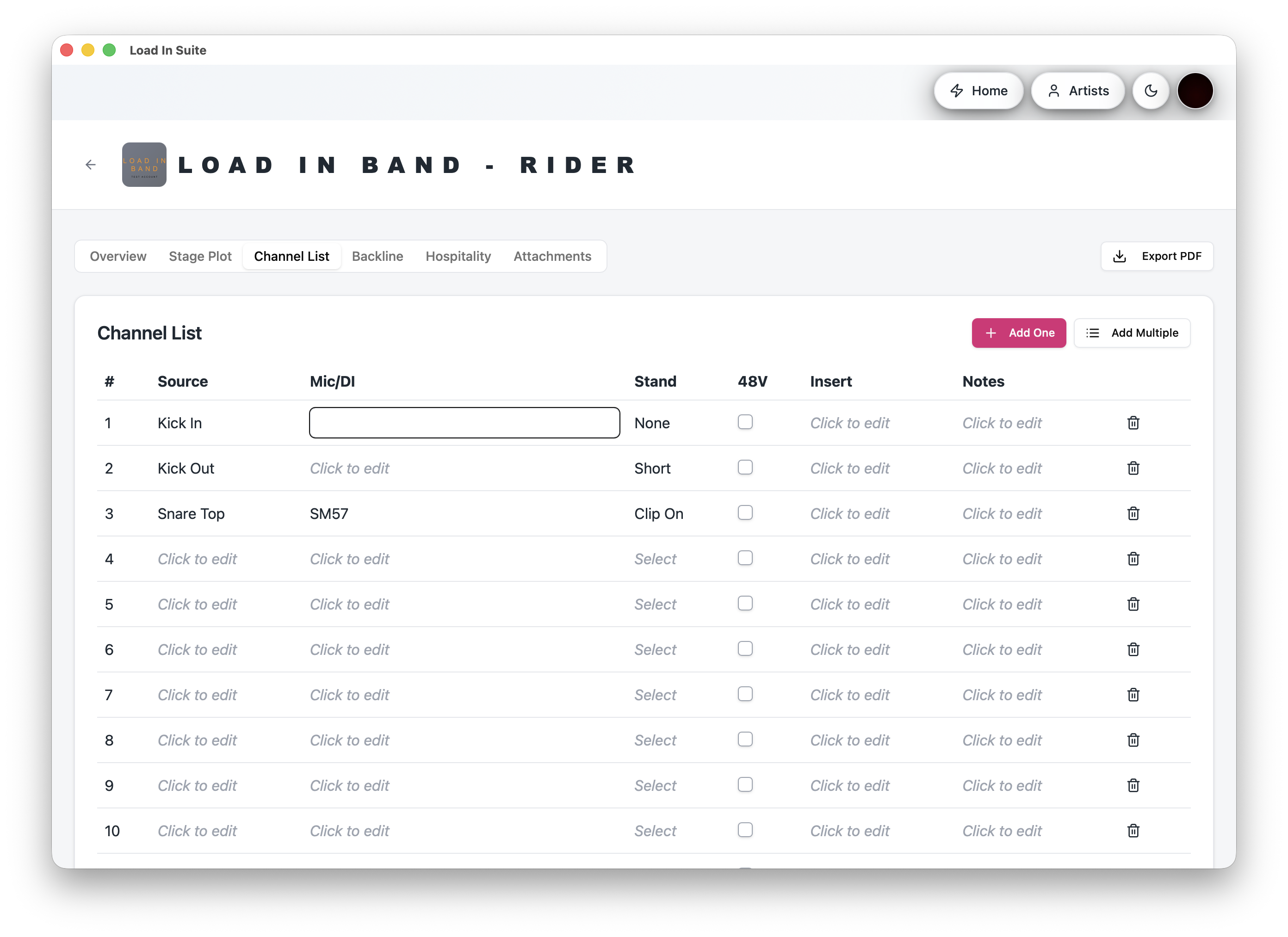
Inline cell editing for source, mic/DI, stand and per-channel notes, with a general notes block at the bottom for the things that apply to the whole show — wireless requirements, festival cautions, RF warnings.
The whole advance, in one tab
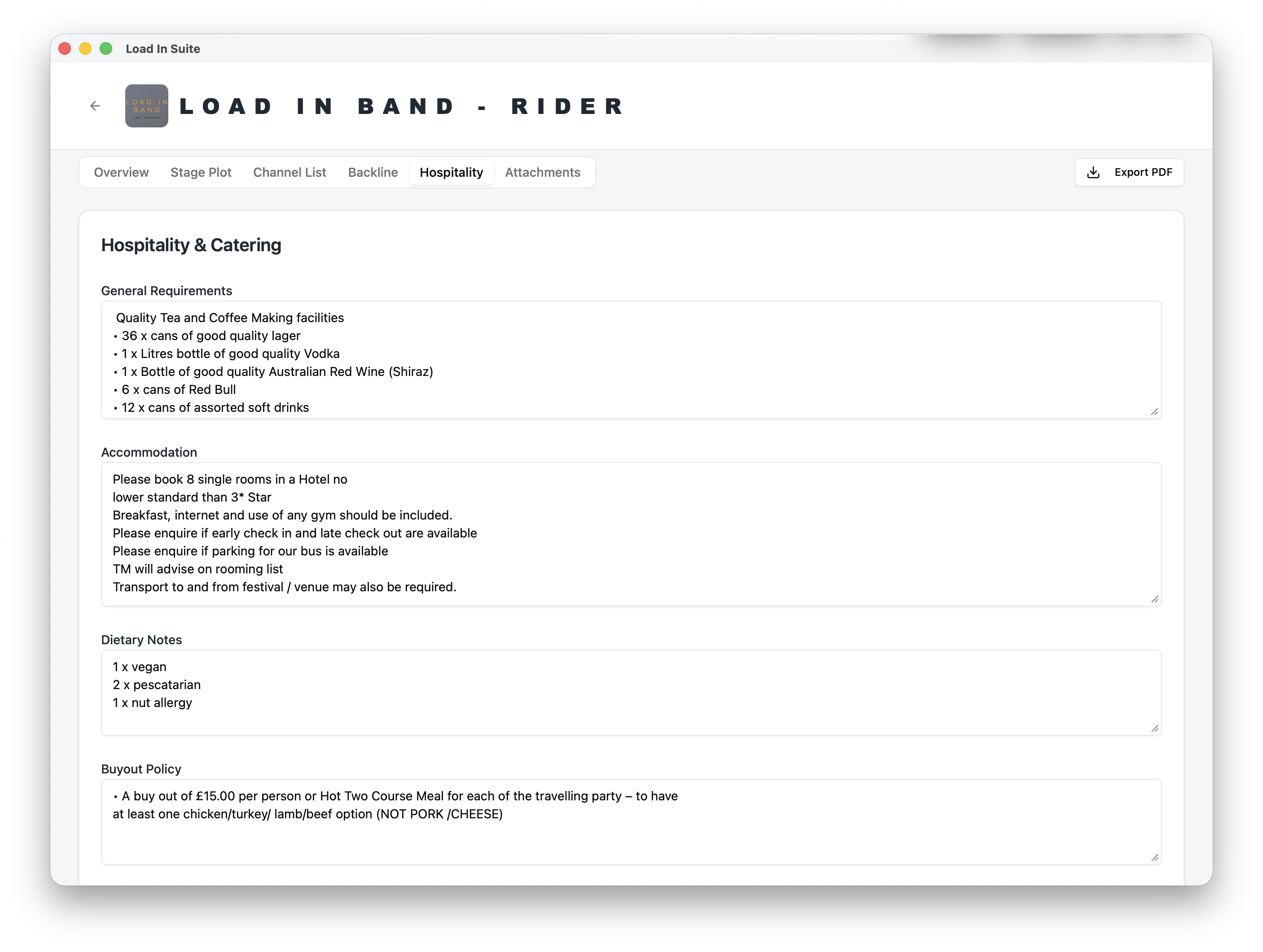
General catering requirements, dietary notes, buyout policy and an accommodation section for hotel requests — room count and standard, breakfast, parking and transport.
The PDF the promoter actually wants
Branded cover, contacts up top, a dedicated landscape page for the stage plot (no more squashed plots), and a "Page X of Y" footer so nothing goes missing on a venue printer.
How it works
Build the rider once
Set up the stage plot, channel list, backline and hospitality on the rider page. Saved per artist, edited as the show evolves.
Link to a tour
Attach the rider to any tour and it's automatically available in the Advance module — no need to re-create or re-attach for every show.
Customise per show
Tweak channels, swap monitors, add tour-specific notes. Changes save instantly and sync across the team.
Send the PDF
Export a production-ready PDF or send the rider directly through Advance with one click. Promoters get a clean, professional document every time.
Build your next rider in minutes
The all-in-one touring app — built on the road, for the road.